
Instagram Name vs Username: What Each One Allows
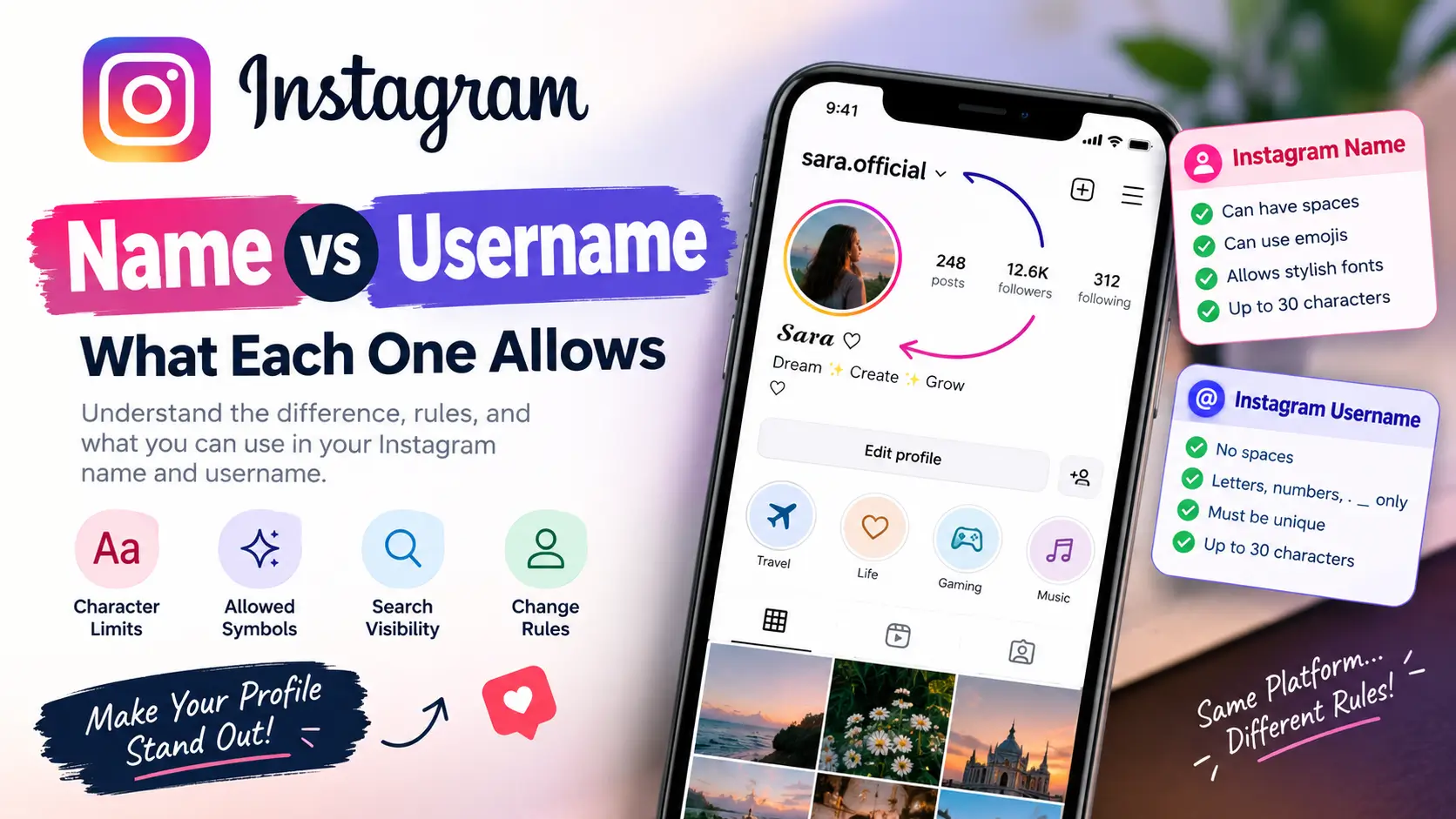
Your Instagram name and username serve two different purposes. Your Instagram name is the display name on your profile, while your username is your unique @handle that identifies your account and forms part of your profile link.
The main difference is flexibility. Your display name can include spaces, emojis, and many decorative Unicode characters. Your username follows stricter character rules and must be available. If you want a stylish profile, changing your name is usually the better choice. If you want a different @handle or profile URL, change your username instead.
Instagram Name vs Username: Quick Comparison
| Feature | Instagram Name | Instagram Username |
|---|---|---|
| Purpose | Displays your name or brand | Identifies your account |
| Example | 𝓢𝓪𝓻𝓪 ♡ | @sara.official |
| Must be unique | No | Yes |
| Spaces | Allowed | Not allowed |
| Letters and numbers | Allowed | Allowed |
| Periods and underscores | Generally accepted where supported | Allowed |
| Emojis | Generally supported | Not allowed |
| Fancy Unicode text | Many styles can work | Generally not accepted |
| Used in profile URL | No | Yes |
| Used for @mentions | No | Yes |
| Character limit | Generally 30 characters | Up to 30 characters |
Instagram may reject particular characters or changes based on its current rules and account restrictions. If a name does not save, check the message displayed in the app.
What Is an Instagram Name?
Your Instagram name, also called your display name, is the name displayed on your profile. It helps people recognise you, identify your brand, or understand the type of content you share.
Unlike a username, a display name does not have to be unique. Many Instagram accounts can use the same name, such as Sara, Gaming King, or Travel Diaries.
What Can You Put in Your Instagram Name?
You can generally use a combination of:
- Your first name, full name, or brand name
- Spaces between words
- Uppercase and lowercase letters
- Emojis and decorative symbols
- Many Unicode text styles, including bold, script, and gothic characters
- A short description of your account or profession
For example, a gaming profile might use 亗 Shadow King 亗, while a personal profile could use 𝓢𝓪𝓻𝓪 ♡.
These are examples of decorative text, not guaranteed accepted inputs. Some characters may not display correctly on every device.
How Many Characters Can an Instagram Name Have?
Instagram generally limits display names to 30 characters. If you use decorative Unicode characters, the way they are counted may not match how long the name looks on screen.
If Instagram rejects your name, try shortening it, removing extra symbols, or using a simpler combination of characters.
What Is an Instagram Username?
Your Instagram username is the unique handle associated with your account. It appears with an @ symbol when people mention you and forms part of the address used to open your profile.
For example:
| Profile detail | Example |
|---|---|
| Username | sara.official |
| Handle | @sara.official |
| Profile URL | instagram.com/sara.official |
No two accounts can use the same active username at the same time. If your preferred handle is unavailable, you need to choose another one.
Instagram Username Rules
Instagram usernames generally follow these character rules:
- Letters from A to Z
- Numbers from 0 to 9
- Periods (
.) - Underscores (
_)
Usernames cannot contain spaces, hyphens, emojis, or decorative Unicode letters. They can contain up to 30 characters.
Instagram also enforces formatting and availability restrictions. For example, a username that looks valid may still be rejected because someone else has it or because the platform does not allow that particular combination.
Instagram Username Examples: Allowed vs Not Allowed
| Username example | Likely result | Reason |
|---|---|---|
saraofficial | Accepted if available | Letters only |
sara_07 | Accepted if available | Letters, numbers, and underscore |
sara.official | Accepted if available | Letters and period |
sara official | Rejected | Contains a space |
sara-king | Rejected | Contains a hyphen |
sara♡ | Rejected | Contains a decorative symbol |
𝓼𝓪𝓻𝓪 | Rejected | Uses decorative Unicode letters |
These examples describe the normal username rules. Acceptance also depends on availability and Instagram’s current validation checks.
Why Is My Instagram Username Unavailable?
Your preferred username may already belong to another account, or Instagram may restrict it. An account that appears inactive does not necessarily make its username available.
Try these alternatives if your first choice is taken:
- Add a period:
sara.official - Add an underscore:
sara_official - Include your niche:
sara.travels - Add a short, meaningful number:
sara_07
Choose a variation that remains easy to read, spell, and remember. Avoid adding a long string of random numbers just to obtain an available handle.
Can You Use Stylish Fonts in an Instagram Name?
Yes, many stylish text styles can be used in an Instagram display name. These styles are usually made from Unicode characters rather than conventional fonts installed on your phone.
Here are some examples:
| Style | Example |
|---|---|
| Normal | Sarah |
| Bold | 𝐒𝐚𝐫𝐚𝐡 |
| Script | 𝓢𝓪𝓻𝓪𝓱 |
| Gothic | 𝕾𝖆𝖗𝖆𝖍 |
| Decorative | ꧁Sarah꧂ |
You can copy these characters and try them in your Instagram Name field.
Want more styles? Visit our Instagram Name Fonts generator to create decorative names and copy your favourite design.
Things to Know Before Using Fancy Text
1. It may affect readability. Decorative characters can make a name harder to recognise, particularly when the style is complicated.
2. Search matching may be less straightforward. If your display name uses unusual Unicode characters, it may be less recognisable to someone searching with ordinary spelling. Keep your username or other profile information clear and relevant.
3. Some devices may display characters differently. Unsupported characters can appear as empty boxes or other unexpected symbols.
4. Accessibility can be affected. Screen readers may pronounce decorative characters differently from ordinary letters. Use fancy text sparingly if you want your profile to remain accessible.
A simple name with one decorative element, such as Sarah ✨ or Shadow | Free Fire, can offer a good balance between personality and readability.
Can You Use Stylish Fonts in an Instagram Username?
Generally, no. Instagram usernames follow a restricted character set, so decorative Unicode letters, hearts, emoji, and most special symbols will not work.
Instead, keep your username simple and use the display name for creative styling.
For example:
- Username:
shadow.king07 - Display name:
亗 𝕾𝖍𝖆𝖉𝖔𝖜 𝕶𝖎𝖓𝖌 亗
If Instagram rejects your display name, remove individual symbols or try a simpler style.
Which Is More Important for Instagram Search?
Both your display name and username can help people discover your account. Instagram has explained that its search system considers the text a person enters and matches it with relevant usernames, profile information, captions, hashtags, and places. It also considers activity and information about the results.
Neither field guarantees a particular search position.
How to Make Your Instagram Name Easier to Find
Choose a display name that clearly identifies you or describes your content.
For example, Sarah | Travel Photographer communicates more about an account than a string of unrelated symbols. Use a description that accurately reflects what you do and fits Instagram’s character restrictions.
How to Choose a Search-Friendly Username
Follow these practical tips:
- Keep it short and easy to spell.
- Use your name, brand, or relevant topic where appropriate.
- Avoid unnecessary punctuation and long strings of numbers.
- Use a consistent handle across social platforms when possible.
- Make sure people can type it without guessing.
Do not stuff unrelated keywords into your profile. A memorable, relevant identity is more useful than a handle that looks spammy.
How to Change Your Instagram Name or Username
You can usually change either field through your Instagram profile settings.
- Open Instagram and go to your profile.
- Tap Edit profile.
- Select Name to change your display name.
- Select Username to change your @handle.
- Enter your preferred text and review any validation messages.
- Save your changes.
The labels may differ slightly depending on your app version and account.
What Happens When You Change Your Instagram Name?
Changing your display name updates the text shown on your profile. It does not normally change your username or profile URL, and it does not remove your followers.
Instagram may limit how often you can change your display name. If the app displays a waiting period or restriction, follow the instructions shown for your account.
What Happens When You Change Your Instagram Username?
Changing your username changes your public handle and profile URL. People who know your old username may have difficulty finding you, and links that use the old address may no longer work as expected.
Before changing your username:
- Update the link on your website and other social profiles.
- Update your email signature or other places where you share your Instagram profile.
- Tell your followers about the new handle if you have an established audience.
- Check the new username carefully before saving.
Do not assume your old username will remain available for you to reclaim. Instagram may restrict recently changed usernames, and availability can change.
Instagram Name vs Username: Which One Should You Change?
The right choice depends on what you want to achieve.
| Your goal | What to change |
|---|---|
| Add a stylish or decorative look | Display name |
| Add spaces or emojis | Display name |
| Describe your content or profession | Display name |
| Make your profile easier to recognise | Display name |
| Change your public @handle | Username |
| Change your profile URL | Username |
| Create a simpler handle to share | Username |
| Make your handle more consistent with your brand | Username |
If you only want a more creative profile, changing your display name is usually the simplest option. Change your username when you actually need a different handle or profile address.
Try Our Name Tools
Frequently Asked Questions
Is an Instagram name the same as a username?
No. Your Instagram name is the display text on your profile, while your username is the unique @handle used for mentions and your profile URL.
Which Instagram field can have spaces?
Your display name can contain spaces. Your username cannot.
Can I use emojis in my Instagram username?
No. Instagram usernames do not support emojis. Emojis are generally supported in display names.
Can I use a hyphen in my Instagram username?
No. Use a period or underscore instead, such as sara.king or sara_king.
Can two Instagram accounts have the same name?
Yes. Display names do not have to be unique. Usernames must be unique.
Does changing my Instagram name change my username?
No. These are separate profile fields. Changing your display name does not normally change your @handle or profile URL.
How long can an Instagram username be?
An Instagram username can contain up to 30 characters.
Can I use bold or cursive letters in my Instagram name?
Many Unicode characters that look bold or cursive can work in a display name. They generally cannot be used in usernames, and they may affect readability or accessibility.
Which is more important for Instagram search?
Both can help people find your account. A clear, relevant display name and a memorable username are useful, but neither guarantees a particular ranking.
Why can’t I save my new Instagram name or username?
Possible reasons include an unavailable username, unsupported characters, a name that exceeds the limit, or a temporary account restriction. Try a shorter name, remove unsupported symbols, and follow any message Instagram displays.
Conclusion
Your Instagram name describes your profile, while your username identifies your account. The display name gives you more flexibility for spaces, emojis, and many decorative Unicode characters. Your username must be unique and follow stricter formatting rules.
Keep your username easy to type and remember, and use your display name to express your personality or describe your content. If you want a creative look, try a few styles with our Instagram Name Fonts generator and check how they appear on your profile before choosing one.



One Comment