How to Change Your Name in Free Fire 2026 Name Change Card, Free Methods & Error Fixes
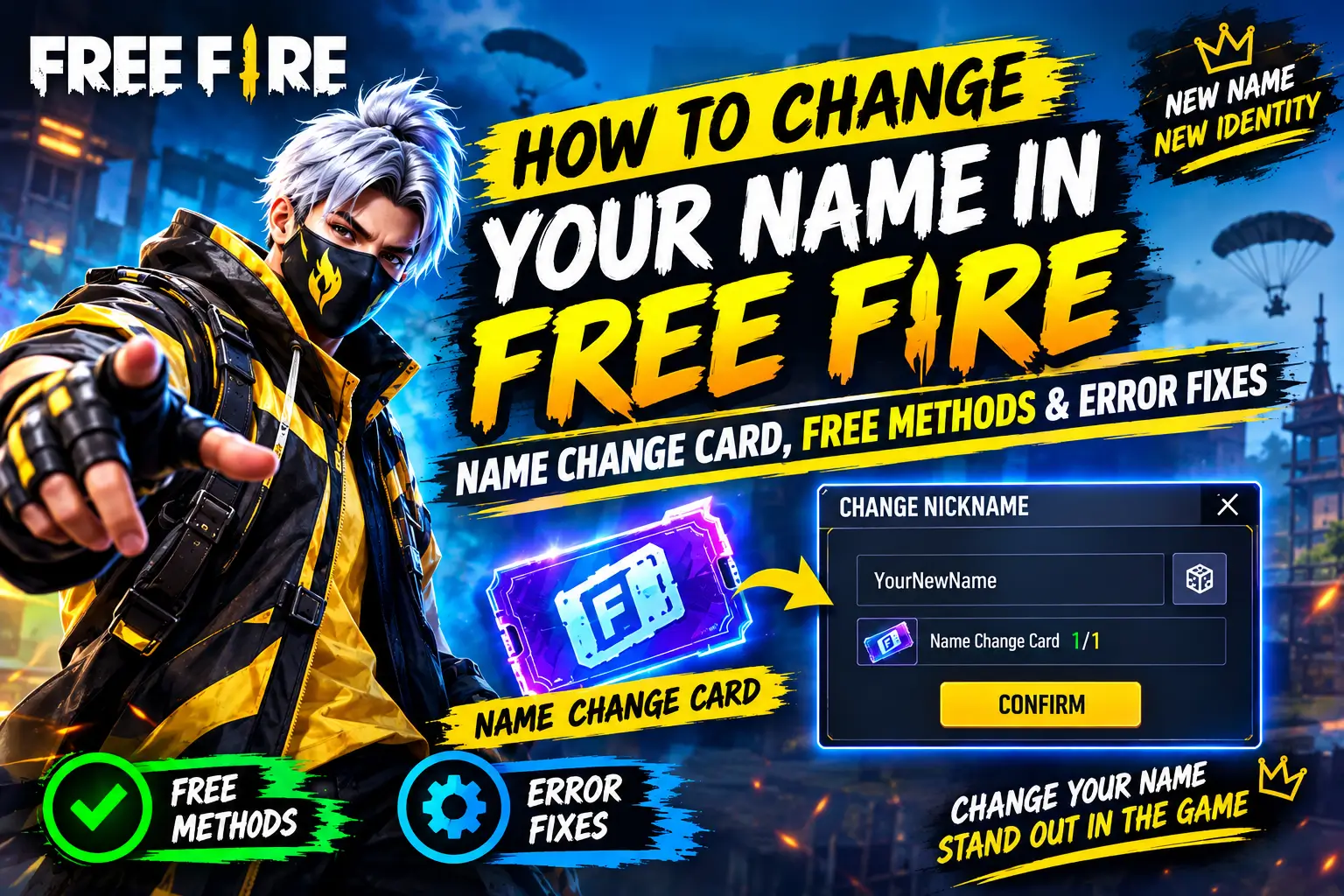
Your Free Fire name is the first thing other players see in matches, guilds, and leaderboards. Whether you want a cooler gaming identity, a stylish nickname, or a professional esports-style username, changing your Free Fire name only takes a few minutes.
In this guide, you’ll learn how to change your name in Free Fire, how Name Change Cards work, ways to get them for free, common rename errors, character limits, and tips for choosing a unique nickname.
How to Change Your Name in Free Fire
- Open Free Fire.
- Tap your profile picture in the top-left corner.
- Press the edit icon beside your current name.
- Enter your new nickname.
- Confirm the change.
- Use a Name Change Card or pay the required diamonds if prompted.
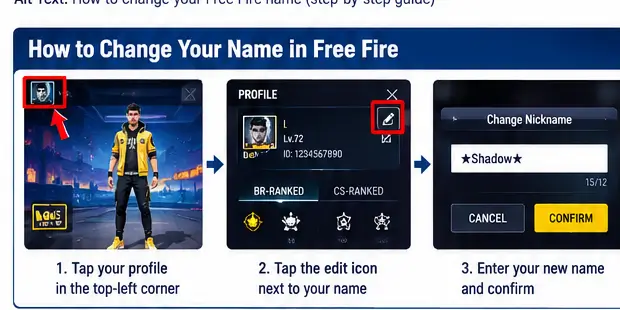
After confirmation, your new nickname will instantly appear across your profile and matches.
Can You Change Your Free Fire Name for Free?
Yes, some players receive a free rename opportunity on newer accounts. After that, you’ll normally need a Name Change Card.
The availability of free name changes may vary depending on events, promotions, and account status.
What Is a Name Change Card?
A Name Change Card is a special item that allows players to rename their account without using the standard rename option.
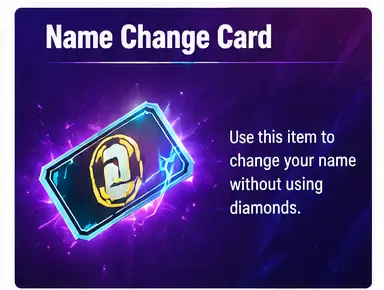
Benefits:
- Faster renaming process
- Cheaper than direct rename costs
- Can be saved for future use
- Often available during events
How to Get a Name Change Card in Free Fire
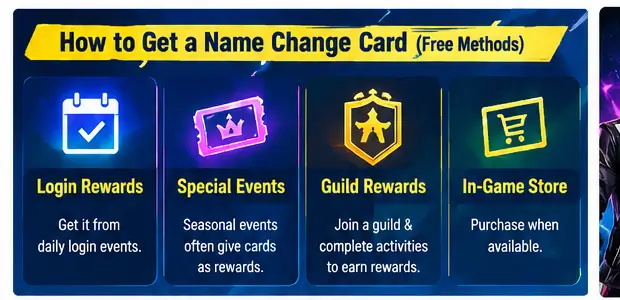
Login Rewards
Garena occasionally includes Name Change Cards in login events.
Special Events
Seasonal events frequently offer rename cards as rewards.
Guild Rewards
Some guild-related activities may help players earn rewards that contribute toward obtaining a card.
In-Game Store
Players can purchase a Name Change Card directly when available.
Free Fire Name Character Limit
Before changing your name, remember that Free Fire has a character limit.
Tips:
- Keep names short and memorable.
- Avoid unnecessary symbols.
- Test your name before confirming.
- Leave space if you plan to add clan tags.
Can You Use Stylish Names in Free Fire?
Yes. Free Fire supports many Unicode symbols and decorative characters.
Examples:
- 亗Shadow亗
- ꧁༺KING༻꧂
- 『LEGEND』
- ★NINJA★
However, some symbols may not be supported on every server or update.
Name Already Taken? Try These Fixes
If your preferred name is unavailable:
- Add symbols.
- Use clan tags.
- Replace letters with stylish characters.
- Add numbers.
- Use nickname generators like Nickfinder.
Example:
Shadow → 亗Shadow亗
Legend → ★Legend★
King → ꧁KING꧂
Free Fire Rename Errors and Solutions
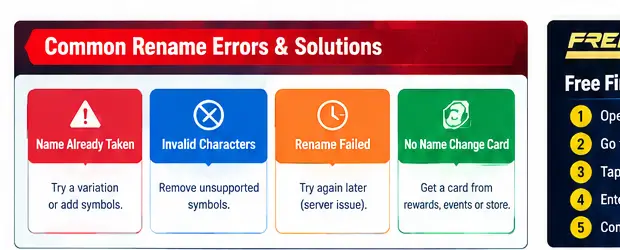
| Error | Reason | Solution |
|---|---|---|
| Name Already Taken | Another player uses it | Choose a variation |
| Invalid Characters | Unsupported symbols | Remove problematic symbols |
| Rename Failed | Server issue | Try again later |
| No Name Change Card | Card missing | Obtain a card first |
| Changes Not Showing | Sync delay | Restart the game |
Free Fire MAX Name Change Guide
The process is exactly the same in Free Fire MAX:
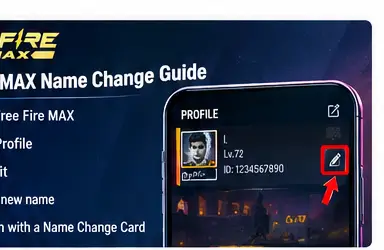
- Open Free Fire MAX.
- Go to Profile.
- Tap Edit.
- Enter a new name.
- Confirm using a Name Change Card.
Your nickname will update across the game after confirmation.
Tips for Choosing the Best Free Fire Name
Choose a name that is:
- Easy to remember
- Unique
- Suitable for esports
- Compatible with clan tags
- Future-proof
Avoid:
- Long names
- Too many symbols
- Difficult spellings
- Random numbers
Best Free Fire Name Ideas
Pro Names
- ShadowX
- Venom
- SniperKing
- DarkHunter
- AlphaX
Stylish Names
- 亗Shadow亗
- ꧁༺KING༻꧂
- ★LEGEND★
- 『NINJA』
- ♛VIPER♛
Guild Names
- TeamX
- AlphaSquad
- RoyalHunters
- DarkLegion
- EliteForce
FAQs
How many times can I change my Free Fire name?
You can change it multiple times as long as you have the required Name Change Cards or rename resources.
Can I use emojis in my Free Fire name?
Most emojis are not supported. Decorative Unicode symbols work better.
Why is my Free Fire name not changing?
This usually happens because the name is already taken, contains unsupported characters, or you don’t have a Name Change Card.
Does changing my Free Fire name affect my account?
No. Your rank, stats, skins, and progress remain unchanged.
Can I change my Free Fire MAX name separately?
No. Your Free Fire and Free Fire MAX account identity is shared.
Conclusion
Changing your Free Fire name is simple once you know where the rename option is located. Whether you’re creating a new gaming identity, joining an esports team, or upgrading to a stylish nickname, having a Name Change Card ready can save time and resources. Before confirming your new name, make sure it’s unique, memorable, and supported by the game so you won’t need another rename immediately.