Free Fire Invisible Name: How to Make a Blank Name (Copy & Paste)
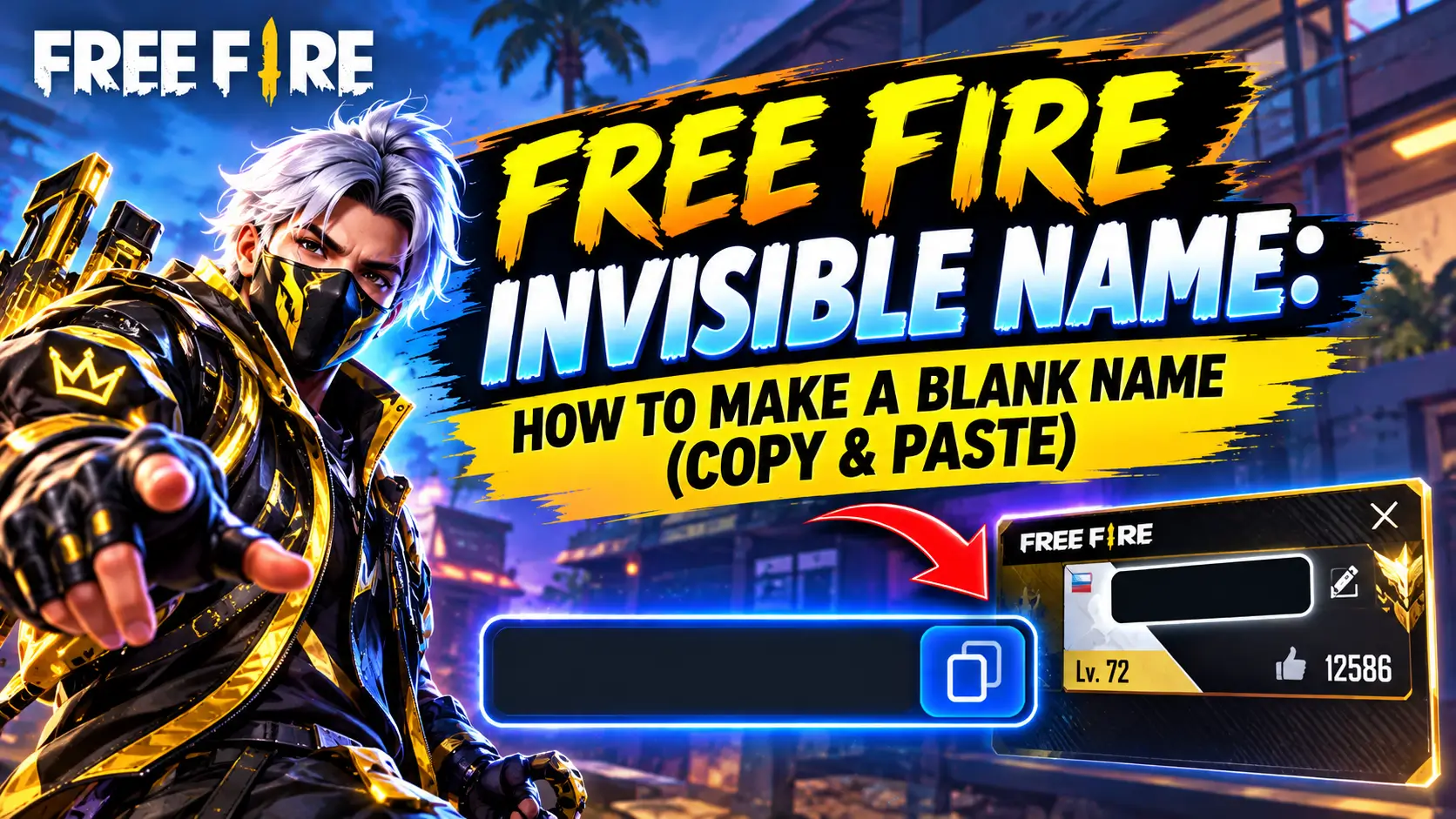
Want to make your Free Fire nickname look blank or add an invisible gap between words? You can do it with a special Unicode character instead of the normal keyboard space.
The easiest option is to copy an invisible character such as U+3164 (Hangul Filler) and paste it into the Free Fire nickname field. If one character does not work on your device or current game version, try one of the alternative invisible spaces below.
Free Fire Invisible Space Generator
Use the buttons below to copy an invisible character and paste it into your Free Fire name.
1. Large Invisible Space
ㅤ
Copy Large Invisible Space
2. Small Invisible Space
ᅠ
Copy Small Invisible Space
3. Medium Invisible Space
** **
Copy Medium Invisible Space
4. Alternative Invisible Space
** **
Copy Alternative Invisible Space
5. Blank Braille Character
⠀
Copy Blank Character
Tip: Start with U+3164 (ㅤ). If Free Fire rejects it, try another character from the list.
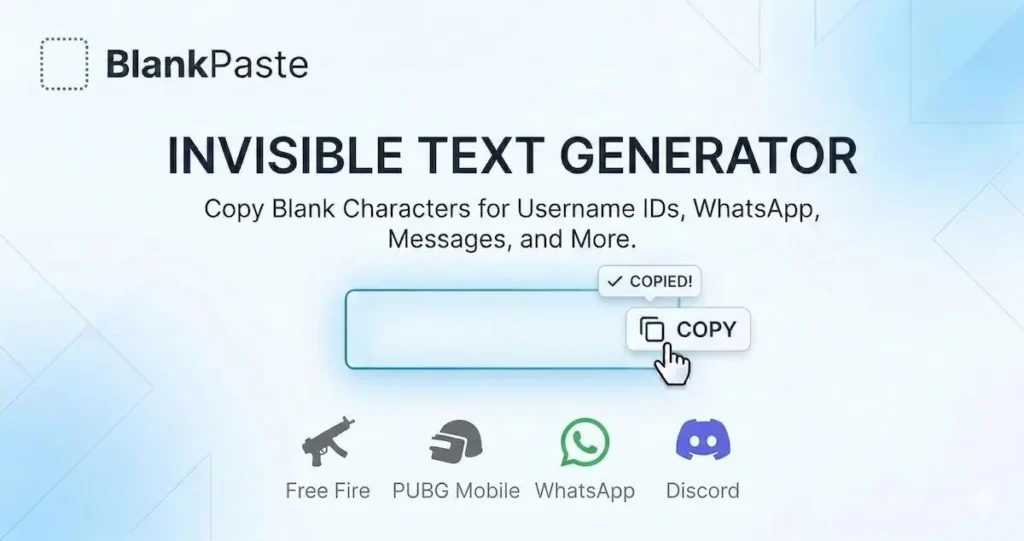
What Is a Free Fire Invisible Name?
A Free Fire invisible name is a nickname that uses one or more Unicode characters that appear blank when displayed.
A normal keyboard space is different from an invisible Unicode character. The regular space character may be removed or rejected by a game’s nickname system, while some Unicode characters are treated as valid text even though they have little or no visible appearance.
Players commonly search for this feature using terms such as:
- Free Fire invisible name
- Free Fire blank name
- Free Fire invisible space
- FF invisible space
- Free Fire space code
- Free Fire name space
- invisible character for Free Fire
- blank nickname
- invisible nickname
Free Fire Invisible Space Codes
Here are some commonly used characters you can test in Free Fire:
| Character | Unicode | Name | Best Use |
|---|---|---|---|
| ㅤ | U+3164 | Hangul Filler | Main option for Free Fire names |
| ᅠ | U+FFA0 | Halfwidth Hangul Filler | Alternative |
| U+2000 | En Quad | Medium spacing | |
| U+205F | Medium Mathematical Space | Alternative spacing | |
| ⠀ | U+2800 | Braille Pattern Blank | Alternative blank character |
| U+00A0 | No-Break Space | Alternative space |
Unicode characters can behave differently depending on the game version, device, and field where they are pasted. If the first option is rejected, try another character rather than repeatedly pasting the same one.
How to Make an Invisible Name in Free Fire
You don’t need an APK, special app, or complicated trick. You only need an invisible Unicode character and access to the nickname editor.
Step 1: Copy an Invisible Character
Use the copy button above and start with:
ㅤ
This is the Hangul Filler (U+3164).
Make sure you actually copy the character. It may look like an empty space, so there may be no visible indication that anything was selected.
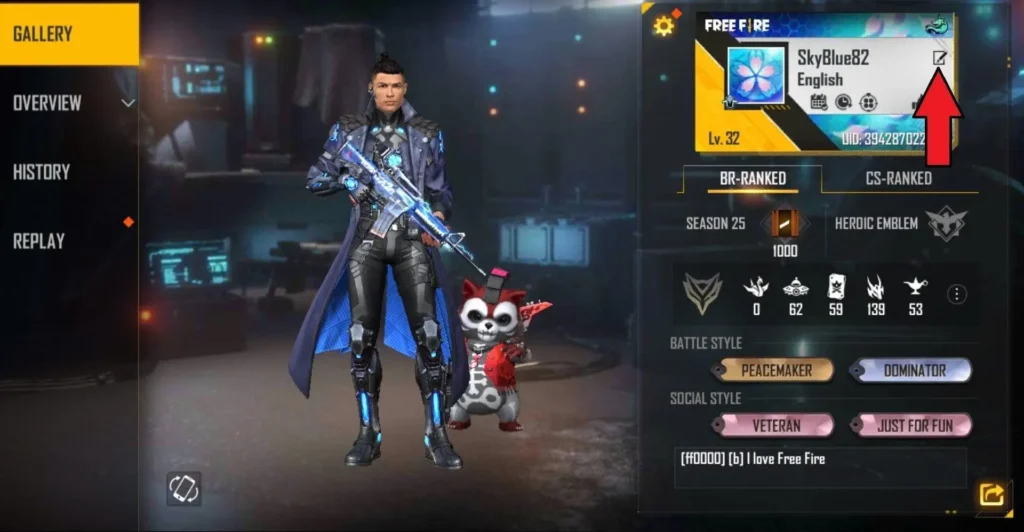
Step 2: Open Your Free Fire Profile
Launch Free Fire and open your profile from the main screen.
Find your current nickname and tap the edit/pencil icon beside it.
Step 3: Paste the Invisible Character
Paste the invisible character into the nickname field.
You can use the character by itself or combine it with visible letters and symbols.
For example:
DarkㅤKing
The space between the two words is an invisible Unicode character rather than a normal keyboard space.
Step 4: Check the Name
Before confirming, check whether Free Fire accepts the characters you pasted.
If the name is rejected, remove the current character and try another option such as U+FFA0, U+2000, U+205F, U+2800, or U+00A0.
Step 5: Confirm the Name Change
Once Free Fire accepts the nickname, confirm the change using the available rename method on your account.
Remember that changing your nickname may require a Name Change Card or Diamonds, depending on your account and the current game options.
How to Make a Completely Blank Free Fire Name
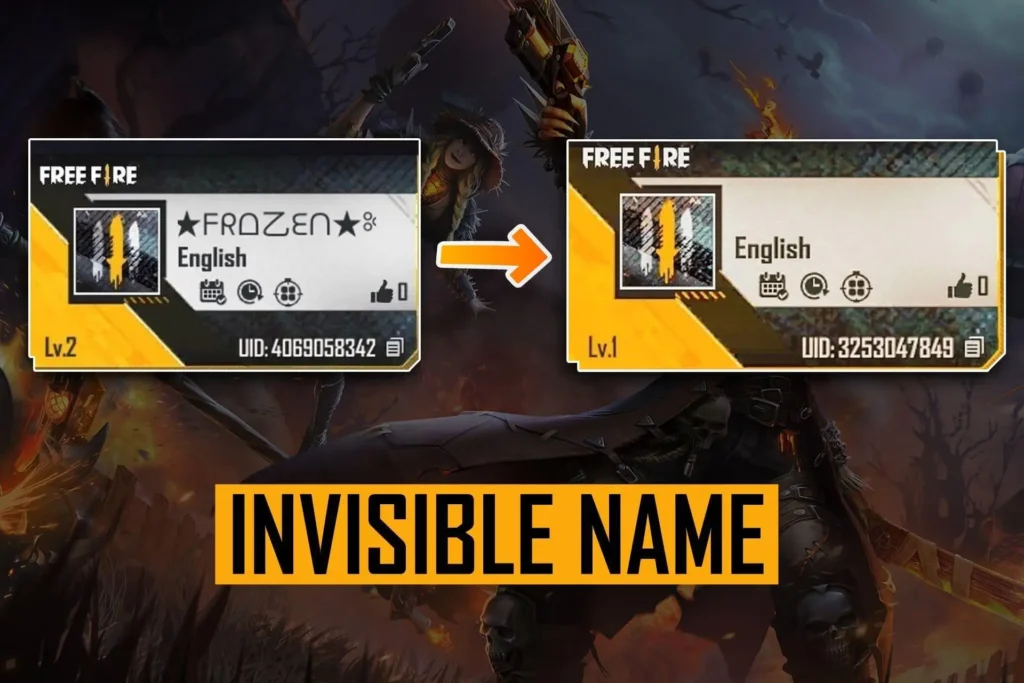
A completely blank-looking nickname is more complicated than simply pressing the spacebar because Free Fire may reject an empty field.
Instead of leaving the nickname field empty, players can paste one or more invisible Unicode characters that the game recognizes as text.
Try this character first:
ㅤ
If one character is rejected, test another invisible character from the generator above.
If a Completely Blank Name Does Not Work
Don’t keep adding random spaces.
Try these options:
- Copy U+3164 again.
- Try U+FFA0.
- Try U+2800.
- Try U+00A0.
- Combine an invisible character with a visible symbol.
- Check whether your nickname field accepts the pasted character.
Game updates can change which Unicode characters are accepted, so there is no single character that should be described as permanently guaranteed to work.
How to Put an Invisible Space Between Words
You don’t have to make your entire nickname invisible.
You can also use an invisible space to separate two parts of a name.
For example:
DarkㅤKing
ProㅤPlayer
ShadowㅤFF
亗ㅤShadow
To create one:
- Type the first part of your name.
- Copy the invisible space.
- Paste it after the first word.
- Type the second part.
- Copy the complete name.
- Paste it into Free Fire.
This is useful when you want a cleaner gap than the normal keyboard space allows.
Free Fire Invisible Name for Free Fire MAX
The same basic copy-and-paste method can be used when changing a nickname in Free Fire MAX.
Open your profile, select the nickname edit option, and paste the invisible Unicode character into the name field.
If a character works in one version but is rejected after an update, try another character from the generator. Unicode rendering and nickname validation can change between game versions.
Which Invisible Space Works Best in Free Fire?
There isn’t a permanent guarantee that one invisible character will work on every Free Fire version and every device.
U+3164 (Hangul Filler) is a commonly used starting option for Free Fire invisible names.
If it doesn’t work, test:
- U+FFA0 — Halfwidth Hangul Filler
- U+2000 — En Quad
- U+205F — Medium Mathematical Space
- U+2800 — Braille Pattern Blank
- U+00A0 — No-Break Space
The best approach is to use the copy buttons above and test the alternatives rather than searching for a new code every time one stops working.
Why Is My Free Fire Invisible Name Not Working?
There are several possible reasons.
1. The Character Is Not Accepted
Free Fire may reject a particular Unicode character.
Fix: Try U+3164 first, then test one of the alternatives.
2. The Nickname Is Too Long
Invisible characters still count as characters even when you cannot see them.
If you paste too many characters, the nickname field may reject the name.
Fix: Use fewer invisible characters.
3. The Character Was Not Copied Correctly
Because the character is invisible, it can be difficult to tell whether it was copied.
Fix: Use the copy button instead of trying to select an empty-looking area manually.
4. Free Fire Removed the Character
Game updates can change nickname validation.
Fix: Try another invisible Unicode character from the generator.
5. Your Name Change Is Not Available
The invisible character itself does not give you a free rename.
You still need to meet the game’s requirements for changing your nickname.
Do Invisible Characters Count Toward the Name Limit?
Yes. An invisible character may look like nothing, but it is still Unicode text.
That means you should not assume that an invisible name has zero characters.
If you combine several invisible characters with letters, numbers, or symbols, the complete nickname can reach the game’s character limit.
Best practice: Use only as many invisible characters as you actually need.
Is an Invisible Free Fire Name a Hack?
No. An invisible Unicode character is simply text represented by a Unicode code point.
It does not modify the game files, give you an advantage, unlock items, or hack another player’s account.
However, you should always follow Free Fire’s rules and avoid using unusual names for impersonation, harassment, spam, or other abusive purposes.
Can I Use an Invisible Space in a Free Fire Guild Name?
Whether a particular invisible character works in a guild field depends on the current game’s validation rules.
If you want to test one, copy an invisible character from the generator and paste it into the relevant field.
If the game rejects it, try a different Unicode character.
Invisible Name vs Stylish Name
An invisible name and a stylish name are not the same thing.
A stylish name uses visible fonts, symbols, brackets, or decorative characters:
꧁༺KING༻꧂
An invisible name uses Unicode characters that appear blank:
ㅤ
You can also combine both styles:
꧁ㅤKINGㅤ꧂
For more visible nickname ideas, use our Free Fire Name Generator to create stylish names, symbols, and gaming nicknames.
How to Copy an Invisible Character on Phone
You don’t need a special keyboard.
Android
- Open this page.
- Tap the Copy button.
- Open Free Fire.
- Go to your profile.
- Open the nickname editor.
- Paste the character.
iPhone
- Copy the invisible character from this page.
- Open Free Fire.
- Go to your profile.
- Tap the edit option beside your nickname.
- Paste the character.
- Confirm the name if it is accepted.
If the first character does not work, return to the generator and test another option.
Free Fire Invisible Name Examples
Here are a few ways you can use invisible characters:
Blank-Looking Name
ㅤㅤ
Invisible Space Between Words
DarkㅤKing
Stylish Name With Invisible Space
亗ㅤShadowㅤ亗
Clan-Style Name
꧁ㅤPROㅤ꧂
Minimal Name
XㅤX
These examples are for formatting ideas. Always test the final version in Free Fire before confirming a name change.
Quick Copy: Free Fire Invisible Space
If you only came here for the code, start with this:
ㅤ
Unicode: U+3164
Name: Hangul Filler
If that one does not work, try:
ᅠ — U+FFA0
** ** — U+2000
** ** — U+205F
⠀ — U+2800
** ** — U+00A0
FAQs
What is the Free Fire invisible name code?
A commonly used Free Fire invisible name character is U+3164 (Hangul Filler). It looks blank when displayed and can be copied and pasted into a nickname field.
How do I copy the Free Fire invisible space?
Tap the Copy button in the invisible space generator, then open your Free Fire profile and paste the character into the nickname field.
Can I make my Free Fire name completely blank?
A blank-looking name may be possible with invisible Unicode characters, but acceptance can vary by game version and character. If one code does not work, try the alternatives provided above.
Does U+3164 work in Free Fire?
U+3164, also called Hangul Filler, is one of the most commonly used characters for Free Fire invisible names. However, game validation can change, so test an alternative if it is rejected.
What should I do if the invisible space is not working?
Try U+3164 first. If it fails, test U+FFA0, U+2000, U+205F, U+2800, or U+00A0. Also make sure you are not exceeding the nickname’s character limit.
Can I use an invisible name in Free Fire MAX?
The same basic method can be used in Free Fire MAX. Paste the Unicode character into the nickname editor and test an alternative if the first one is rejected.
Can I put an invisible space between two words?
Yes. Type the first word, paste the invisible character, and then type the second word. For example:
DarkㅤKing
Are invisible names free?
The invisible Unicode characters themselves are free to copy. However, changing your Free Fire nickname may still require a Name Change Card or Diamonds.
Can invisible characters get my Free Fire account banned?
An invisible Unicode character by itself is not a game hack. However, you should follow Free Fire’s rules and avoid using names for impersonation, abuse, spam, or other prohibited behavior.
Conclusion
Free Fire invisible names are created by using Unicode characters that look blank instead of relying on the normal keyboard space. U+3164 (Hangul Filler) is a popular starting option, but it is smart to keep alternative characters available because game updates and nickname validation can change.
If you want a blank-looking nickname, copy an invisible character from the generator, paste it into the Free Fire nickname editor, and test the result before confirming the rename. For a more recognizable gaming identity, you can also combine invisible spaces with symbols or use our Free Fire Name Generator to create a stylish nickname.