Discord Display Name vs Username: Differences & Rules (2026)
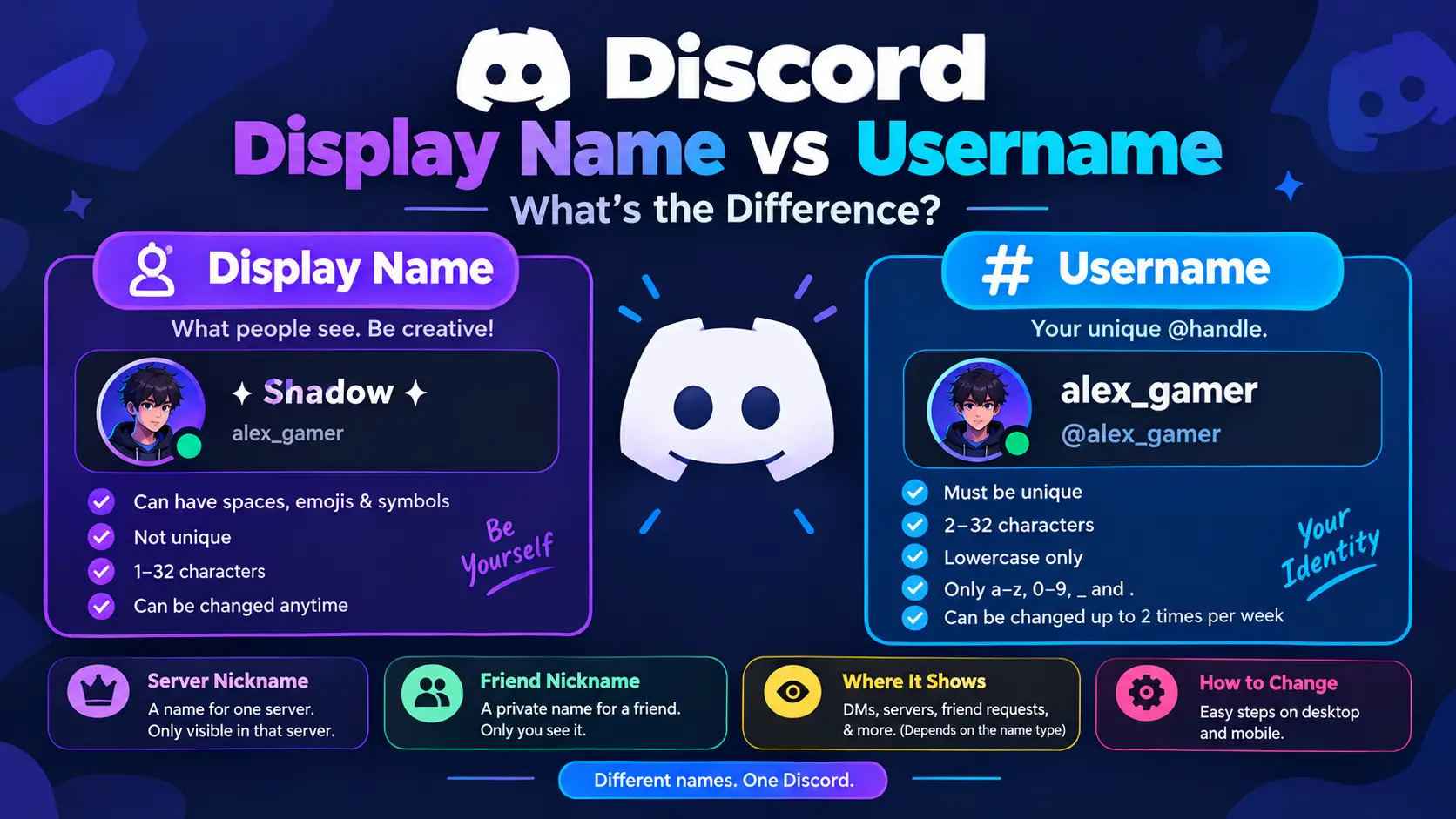
Your display name is the name people mainly see when you chat. It can have spaces, emojis, capital letters and decorative characters, and it does not have to be unique. Your username is your unique @handle. It is lowercase, uses a limited set of characters, and no two accounts can share it.
| Display name | Username | |
|---|---|---|
| Purpose | What people see | Unique account ID |
| Must be unique | No | Yes |
| Length | 1–32 characters | 2–32 characters |
| Spaces | Yes | No |
| Emojis and symbols | Yes | No |
| Capital letters | Yes | No, forced lowercase |
| Allowed characters | Almost anything within Discord’s rules | a–z, 0–9, underscore, period |
| How often can you change it | Anytime | Up to 2 times per week |
What Is a Discord Display Name vs Username
A display name is your main identity on Discord. It shows in direct messages, friend requests, and in servers where you have not set a server nickname.
Discord allows special characters, spaces, emojis, and uppercase, lowercase and non-Latin letters. You can change it as often as you like, even minute to minute. It must still follow Discord’s Community Guidelines, so names that impersonate Discord staff, people or organizations, attack others, or contain sexually explicit language are not allowed.
When you first move to the new system, your display name is pre-filled with your old username, so friends still recognize you.
Valid display names: Alex, Alex ✦, 『Alex』, Sara ♡, Alex Khan, 亗 Shadow
What Is a Discord Username?
Your username is your unique identifier. People use it to add you as a friend, and it helps others confirm who you really are.
Username rules:
- 2 to 32 characters
- Lowercase only (capitals are converted automatically)
- Letters a–z, numbers 0–9, underscore
_and period. - No two periods in a row (
.a.b.works,a..bdoes not) - Must be unique across Discord
- Must follow the Community Guidelines
Valid: alex_gamer, alex.gamer, alexgamer23
Not valid: Alex Gamer (space), 𝓐𝓵𝓮𝔁 (fancy letters), alex♡ (symbol), alex..gamer (double period)
Your account must be verified by email or phone before you can claim a new username.
Display Name vs Username vs Nickname
Discord actually has four kinds of names, and most guides mention only two.
Display name: your global name, shown almost everywhere.
Username: your unique @handle.
Server nickname: a name used only inside one server. You can set it yourself, or someone with the right permissions can set it for you.
Friend nickname: a private name you give to another user. Only you see it, and it appears in your own DMs.
Friend nicknames and server nicknames take priority over display names wherever they are set. Here is how it works in practice:
| Name type | Example |
|---|---|
| Username | alex_gamer |
| Display name | Alex ✦ |
| Server nickname (gaming server) | Shadow |
| Server nickname (study group) | Alex Khan |
| Friend nickname (set by a friend) | Alex Bhai |
Result: the gaming server sees “Shadow”, the study group sees “Alex Khan”, most other places see “Alex ✦”, and the unique alex_gamer handle sits underneath as your real identifier.
Which Name Shows Where?
| Situation | What people see |
|---|---|
| Your DMs | Your display name, or a friend nickname if the other person set one |
| A server where you set a nickname | Your server nickname |
| A server with no nickname set | Your display name |
| Friend or message requests | Display name together with your username |
| Mentioning someone with @ | They can be found by display name or username |
The display name plus username combination is handy for safety. If someone sends a request with a familiar display name, check the username too, because display names can be copied by anyone.
How to Change Your Display Name
Desktop or browser: open User Settings, go to My Account, then Profiles, and edit the display name field.
Mobile: open your profile tab, select Edit Profile, and change the display name.
The menu wording can shift after app updates. Display name changes are instant and unlimited.
How to Change Your Username
Desktop or browser: go to User Settings > My Account and press Edit beside Username. Enter a new available username and confirm with your password if asked.
Mobile: open the profile tab in the bottom right corner, tap Account, then Username, and update it there.
You can change your username up to two times per week. Some older websites still say two per hour, but Discord’s current Help Center says two per week.
How to Set a Server Nickname
Go to User Settings > Profiles > Per-server Profiles, pick the server, and set your nickname. You need permission in that server to change your own nickname, and the server owner or admins can also change nicknames for members.
To give a friend a private nickname, right-click their avatar and choose Add Friend Nickname.
Username Taken? Try These Fixes
Because usernames are unique, many obvious ones are gone. Try:
- Adding numbers:
alex23 - Adding an underscore:
alex_plays - Adding a period:
alex.gg - Combining two interests:
alexchess,shadowalex - Using something short and meaningful instead of a common first name
Do not try spaces, emojis, or stylish letters here. They only work in display names.
Stylish Display Name Ideas (Copy and Paste)
| Style | Example | Visible characters |
|---|---|---|
| Simple | Alex | 4 |
| Aesthetic | 𝓐𝓵𝓮𝔁 | 4 |
| Small caps | ᴀʟᴇx ✦ | 6 |
| Cute | Sara ♡ | 6 |
| Gaming | 亗 Shadow | 8 |
| Brackets | 『Alex』 | 6 |
| Professional | Alex Khan | 9 |
The limit is 32 characters. Fancy Unicode letters can count as more than one unit in some systems, so keep stylish names well under the limit and check that Discord accepts them.
Things to know before using fancy letters:
- Screen readers may read them one character at a time.
- People may struggle to find or @mention you if they cannot type your name.
- Some devices show empty boxes for rare symbols.
A good balance is a readable name with one small symbol, like “Alex ✦”.
Common Problems and Fixes
| Problem | What to do |
|---|---|
| Username already taken | Add a number, underscore or period. |
| Username rejected | Remove spaces, capitals, emojis and symbols other than _ and .. |
| Cannot change username | You may have used both weekly changes. Wait and try again. |
| Cannot claim a username | Verify your account by email or phone first. |
| Display name rejected | Check the 32-character limit and Community Guidelines. |
| Server nickname not changing | Ask an admin whether you have the permission. |
| Friend sees a different name | They may have set a friend nickname for you. |
| Same display name as someone else | Allowed. Usernames are what stay unique. |
| Old name with #1234 still appears | That is the legacy username badge. You can turn it off in Profile settings. |
Try Our Name Tools
Frequently Asked Questions
What is the difference between a Discord display name and a username?
The display name is your flexible, non-unique public name. The username is your unique @handle used for adding friends and verifying identity.
Can two people have the same display name?
Yes. Only usernames must be unique.
Do I need a username and a display name?
Everyone has a username. If you never customize a display name, it simply matches your username.
How many characters can a display name have?
Between 1 and 32.
How many characters can a username have?
Between 2 and 32.
Can I use emojis in my username?
No. Emojis and fancy letters work only in display names.
Can I use spaces in a username?
No. Spaces are allowed in display names only.
How often can I change my username?
Up to two times per week. Your display name has no limit.
Does a server nickname replace my display name?
Inside that server, yes. Everywhere else your display name is used.
What happened to Discord tags like #1234?
New usernames no longer use these four-digit tags, and Discord is removing discriminators for everyone.
Can I use Urdu, Arabic or other scripts?
In a display name, yes. Usernames allow only Latin letters, numbers, underscore and period.
Does changing my display name change my username?
No. They are separate settings.
Conclusion
Use your display name for personality: spaces, symbols and style are all fine. Use your username for identity: short, lowercase and easy to share. Add server nicknames when you want a different name in each community, and remember that friend nicknames and server nicknames always win over your display name. Keep stylish names readable, and you get an identity that is both fun and easy for friends to find.